Localhost:9000 Not Working? A Complete Diagnosis and Repair Guide
Whether it's Portainer, Cockpit on port 9090, or a React app needing HTTPS — localhost:9000 issues are frustrating but fixable. This guide covers the five hottest Reddit topics of 2026, with step-by-step solutions for Red Hat, Docker, WSL, corporate firewalls, and custom domains.
Introduction: The Universal Development Challenge
In local development and operations, localhost:9000 is a high-frequency combination. Whether you're running the Portainer container management panel, starting a React development server, or accessing Red Hat's Cockpit web console, port 9000 (and its close relative 9090) has practically become a regular on developers' desktops. However, this seemingly simple address often triggers a series of frustrating problems: inability to access, connection refused, HTTPS certificate errors, custom domain failures... Reddit sees new help posts daily, and the 2026 discussions still center on these classic pain points.
This article will combine the five hottest Localhost-related questions on the Reddit community in 2026, providing you with a complete troubleshooting and resolution guide, from underlying principles to specific operations. Whether you're a beginner just starting with Linux certification or a veteran deeply mired in the WSL swamp, this article will help you completely conquer localhost:9000.
Quick Diagnostic Checklist
Before diving deep, run through this 5-minute checklist:
- Check Server Status: Is your service (Portainer, React, etc.) actually running?
- Test Alternative Address: Try accessing
http://127.0.0.1:9000orhttps://localhost:9090 - Check Port Occupancy: Run
lsof -i :9000ornetstat -ano | findstr :9000 - Browser Isolation: Test in incognito mode with extensions disabled
- Firewall Check: Temporarily disable firewall to test
1. First Steps: Confirm Basic Status
Before diving into troubleshooting, ensure your development environment is in a basically functional state.
1.1 Check if the Server is Running
First, confirm your development server has actually started and is running. In your terminal or command prompt, you should see output similar to:
Server running at http://localhost:9000/
Compiled successfully!
If you don't see these messages, your server might not have started correctly. For React apps, use npm start (with possible port override); for Portainer, verify the container is up with docker ps.
1.2 Verify Local Network Connectivity
Localhost connections rely on the operating system's network stack. You can test this by pinging the local loopback address:
ping 127.0.0.1If this basic test fails, it might indicate a system-level network issue requiring firewall or network configuration checks.
2. In-Depth Analysis of Popular Reddit Cases
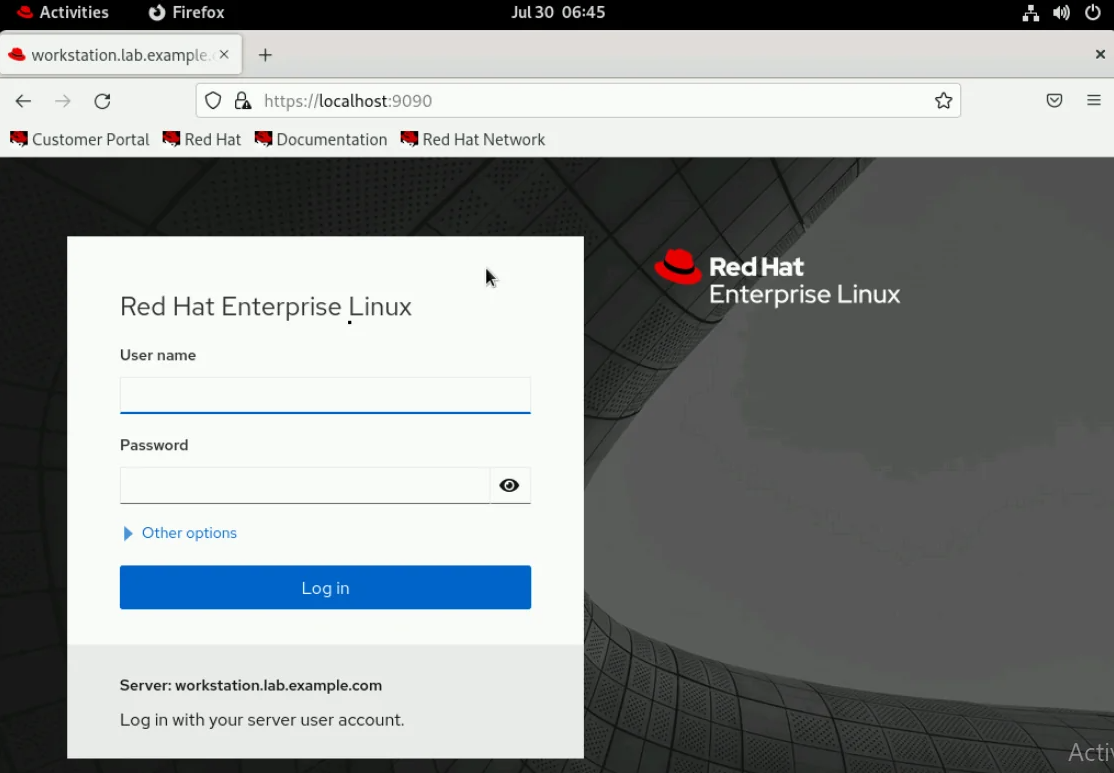
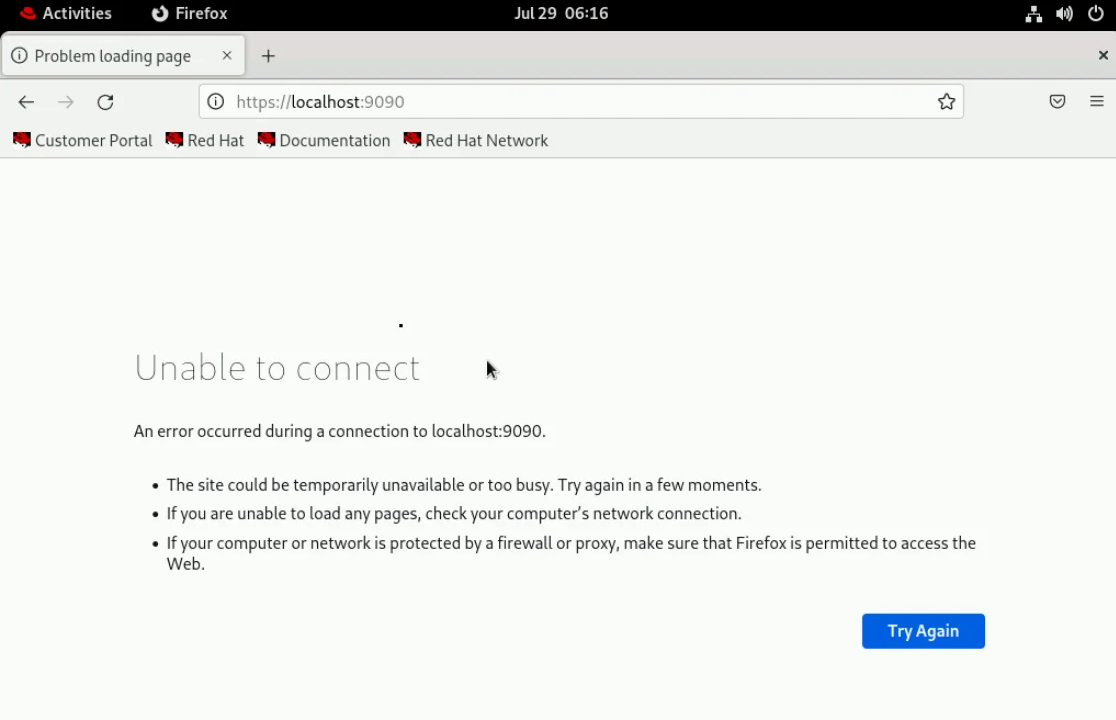
Case 1: https://localhost:9090 Won't Open During Red Hat Study
Original question: "I am currently studying red hat linux certification but everytime i try to connect to https://localhost:9090 it gives this error which is not supposed to happen..."
Analysis: On RHEL/CentOS, port 9090 is used by Cockpit. The service may not be running, or the firewall may block it.
Resolution steps:
# Start and enable Cockpit
sudo systemctl enable --now cockpit.socket

# Open firewall
sudo firewall-cmd --add-service=cockpit --permanent
sudo firewall-cmd --reload

# If only IPv6, edit /etc/cockpit/cockpit.conf
[WebService]
Listen = 0.0.0.0:9090
Browser warnings about self-signed certificates are normal; click "Advanced" to proceed.
Case 2: Can't Access Portainer via localhost:9000, But Tailscale IP Works
Original question: "I've installed docker and portainer, however when I try to login using IP:9000 i can't. But when I installed tailscale and try to login using tailscale's IP:9000 it works..."
Analysis: The container likely binds only to 127.0.0.1 (inside container networking), or the host firewall blocks non-Tailscale traffic.
Fix:
# Check current binding
docker ps --format "table {{.Names}}\t{{.Ports}}"

# Recreate Portainer with 0.0.0.0 binding
docker run -d -p 0.0.0.0:9000:9000 --name portainer portainer/portainer

# Allow port in UFW
sudo ufw allow 9000
Tailscale creates a virtual interface that may bypass local firewall rules, explaining the difference.
Case 3: IT Department Blocked http://localhost:9000
Original question: "I've installed stable diffusion but can't open http://localhost:9000/ in my browser, probably because my IT department have blocked it. Have someone found a work around?"
Workarounds:
- Change port: Use
--port 9001flag if supported. - Tunneling:
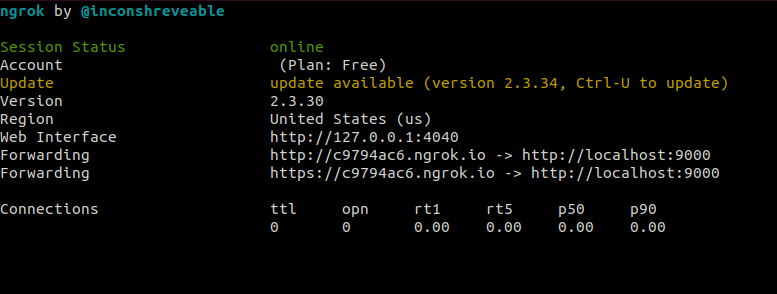
ngrok http 9000orcloudflared tunnel. - Custom domain in hosts: Add
127.0.0.1 dev.localand accesshttp://dev.local:9000.
⚠️ Always respect your company's security policies.
Case 4: Local HTTPS & Custom Domain for Auth0 (React)
Original question: "I have a React app running on localhost:9000. Auth0 requires https and cannot point to localhost. I want something like https://mydomain.test."
Solution with mkcert:
# Edit hosts file
echo "127.0.0.1 mydomain.test" | sudo tee -a /etc/hosts

# Install mkcert and generate cert
mkcert -install
mkcert mydomain.test

# Run React with HTTPS
HTTPS=true SSL_CRT_FILE=./mydomain.test.pem SSL_KEY_FILE=./mydomain.test-key.pem npm start
Now access https://mydomain.test:9000 – the certificate will be trusted locally.
Case 5: WSL: Localhost Refuses Connection for Any App (Node/React)
Original question: "I cannot get any app that I spin up to connect to the localhost port it is trying to run on. I am using a WSL dev environment."
Diagnosis: In WSL2, apps must listen on 0.0.0.0 to be reachable from Windows. Also, Windows firewall may block the vEthernet adapter.
Steps:
# Inside WSL, check listening address
ss -tlnp | grep 9000
# If it shows 127.0.0.1:9000, reconfigure app to use 0.0.0.0

# Restart WSL from PowerShell (admin)
wsl --shutdown

# Temporarily use WSL's virtual IP
ip addr show eth0 | grep inet
If you use the virtual IP (e.g., http://172.xx:9000) from Windows, it should work. For permanent fix, ensure app listens on all interfaces.
3. Universal Troubleshooting Checklist
| Step | Command/Action | Expected Outcome |
|---|---|---|
| 1. Service running? | ps aux | grep 9000 or docker ps | Process/container listed |
| 2. Port listening? | sudo lsof -i :9000 | Shows LISTEN |
| 3. Address family? | ss -tlnp | grep 9000 | 0.0.0.0 or :: preferred |
| 4. Local curl test | curl -v http://127.0.0.1:9000 | HTTP response |
| 5. Firewall rules | sudo iptables -L / Windows: wf.msc | No blocking rules |
4. 2026 Trends: Containerization, WSL & Tailscale
With Docker and WSL2 as default dev environments, localhost issues now often involve Docker networks (docker network) and VPN tools like Tailscale. Always verify container port mapping (-p 0.0.0.0:9000:9000) and check if the service inside the container listens on 0.0.0.0 (set HOST=0.0.0.0 environment variable when possible).
5. Frequently Asked Questions (Based on Reddit 2026)
How to fix 'problem trying to open https://localhost:9090' on Red Hat?
Enable Cockpit: sudo systemctl enable --now cockpit.socket. Open firewall: sudo firewall-cmd --add-service=cockpit --permanent && sudo firewall-cmd --reload. If only IPv6, set Listen = 0.0.0.0:9090 in /etc/cockpit/cockpit.conf. Browser warnings are normal for self-signed certs.
Why can I access Portainer via Tailscale IP but not localhost:9000?
Container likely bound to 127.0.0.1 instead of 0.0.0.0. Recreate with -p 0.0.0.0:9000:9000. Also check UFW: sudo ufw allow 9000. Tailscale bypasses local firewall rules, which explains the difference.
IT department blocked http://localhost:9000, any workaround?
Change the port (e.g., --port 9001). Use tunneling tools like ngrok, Cloudflare Tunnel, or bore. Or modify hosts file to use a custom domain like dev.local (but IP block may still apply). Always respect company policy.
How to run React on https://mydomain.test:9000 with HTTPS for Auth0?
Add 127.0.0.1 mydomain.test to hosts file. Use mkcert: mkcert -install && mkcert mydomain.test. Start React with HTTPS=true SSL_CRT_FILE=./mydomain.test.pem SSL_KEY_FILE=./mydomain.test-key.pem npm start. Or use Caddy as reverse proxy with tls internal.
WSL: localhost refuses connection for Node/React apps on any port (9000, 3000, etc.)
Ensure app listens on 0.0.0.0 inside WSL. Check Windows firewall for vEthernet (WSL) blocks. Restart WSL with wsl --shutdown. If using WSL2, Windows should forward localhost automatically; if not, use the WSL virtual IP (ip addr show eth0) temporarily.
Key Takeaways
- When localhost:9000 is inaccessible, start from the simplest possibilities: Is the server running? Is the port occupied?
- Most of the time, the problem lies in port conflicts or server listening configuration (binding to 127.0.0.1 vs 0.0.0.0).
- Master the diagnostic commands (
lsof,ss,curl) to quickly resolve issues. - For Docker/WSL, always verify network modes and firewall exceptions.

About me
Alex Rivera is a back-end engineering expert and professor at the University of Pennsylvania and Cornell University.